Your next period.
A little clearer.
Put your income, spending plan and actual expenses in one quiet workbook. See what is left without another account to connect.
Get the workbook - $5See a real preview
One payment. Instant ZIP download after payment.
Desktop XLSX workbook. No subscription or bank connection.
Original workbook. Fictional example numbers, not customer results.
From money in to
"where did it go?"
Give this period a shape.
Add starting money and income. Set a plan across eight categories, from home and bills to a savings set-aside.
Write it down once.
Pick a category, add a note and amount. Blue input cells and a category dropdown keep the task simple.
Know what your entries say.
Totals and a planned-versus-logged chart update from your log. A negative gap tells you where to look again.
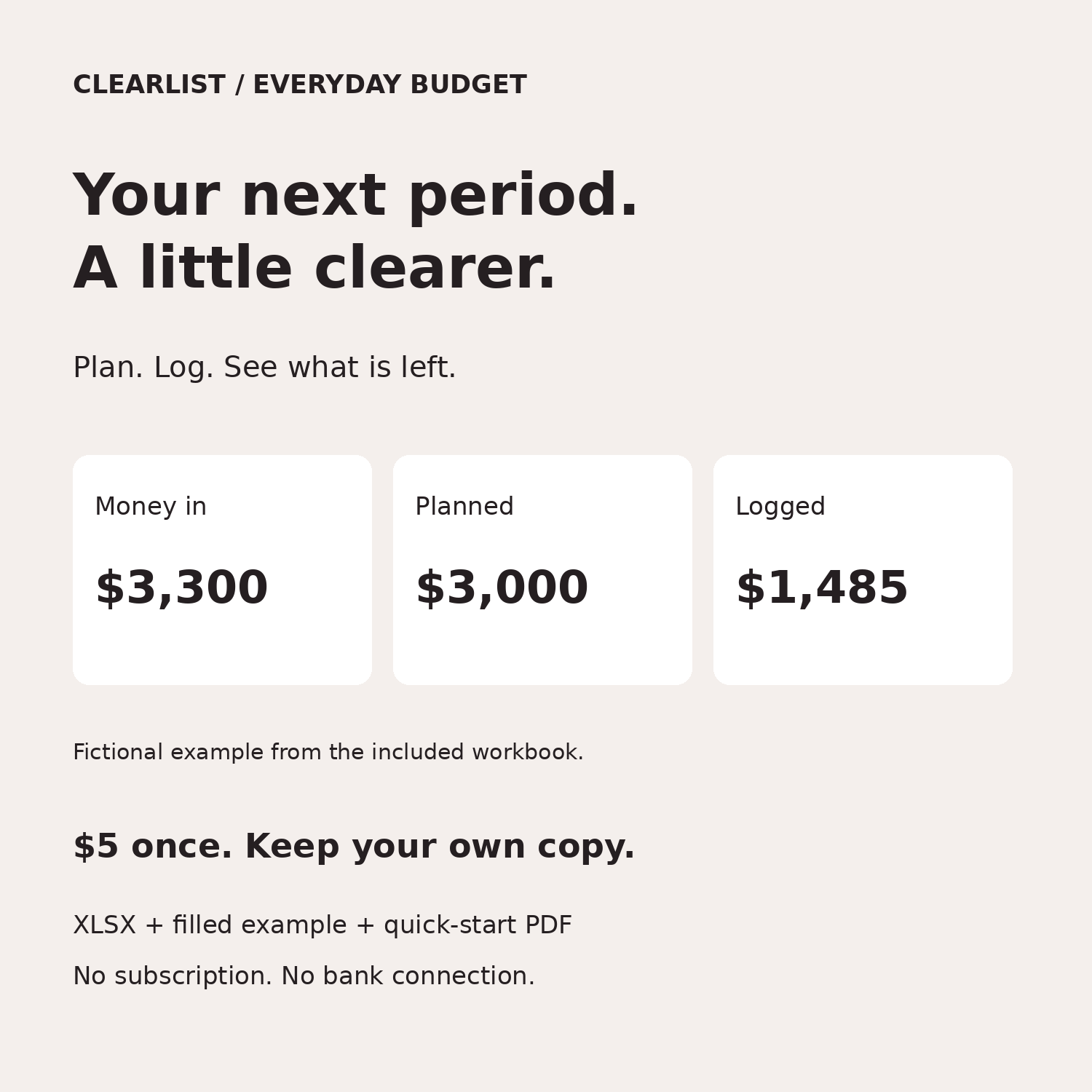
What does $1,815 mean?
The example starts with $3,300 available and logs $1,485 of spending or set-asides. The workbook shows $1,815 remaining after those entries.
This is a planning figure, not a live bank balance. Every number comes from what you enter.
| Fictional example | USD |
|---|---|
| Starting money + income | $3,300 |
| Planned / allocated | $3,000 |
| Logged / set aside | $1,485 |
| Remaining after log | $1,815 |
New product. No customer reviews yet. We show the actual workbook instead of invented stars.
This is the actual
included example.
Not a dashboard mockup. This preview is rendered from the delivered XLSX file after recalculation.
One download includes:
- Blank workbook, ready for your entries
- Filled fictional example to learn from
- One-page quick-start PDF
- CSV log header and personal-use license
XLSX uses standard Excel-compatible formulas. Tested in LibreOffice. Not tested in Microsoft Excel, Google Sheets or mobile spreadsheet apps. Desktop use recommended. USD formatting only; no currency conversion.
Open full-size preview ↗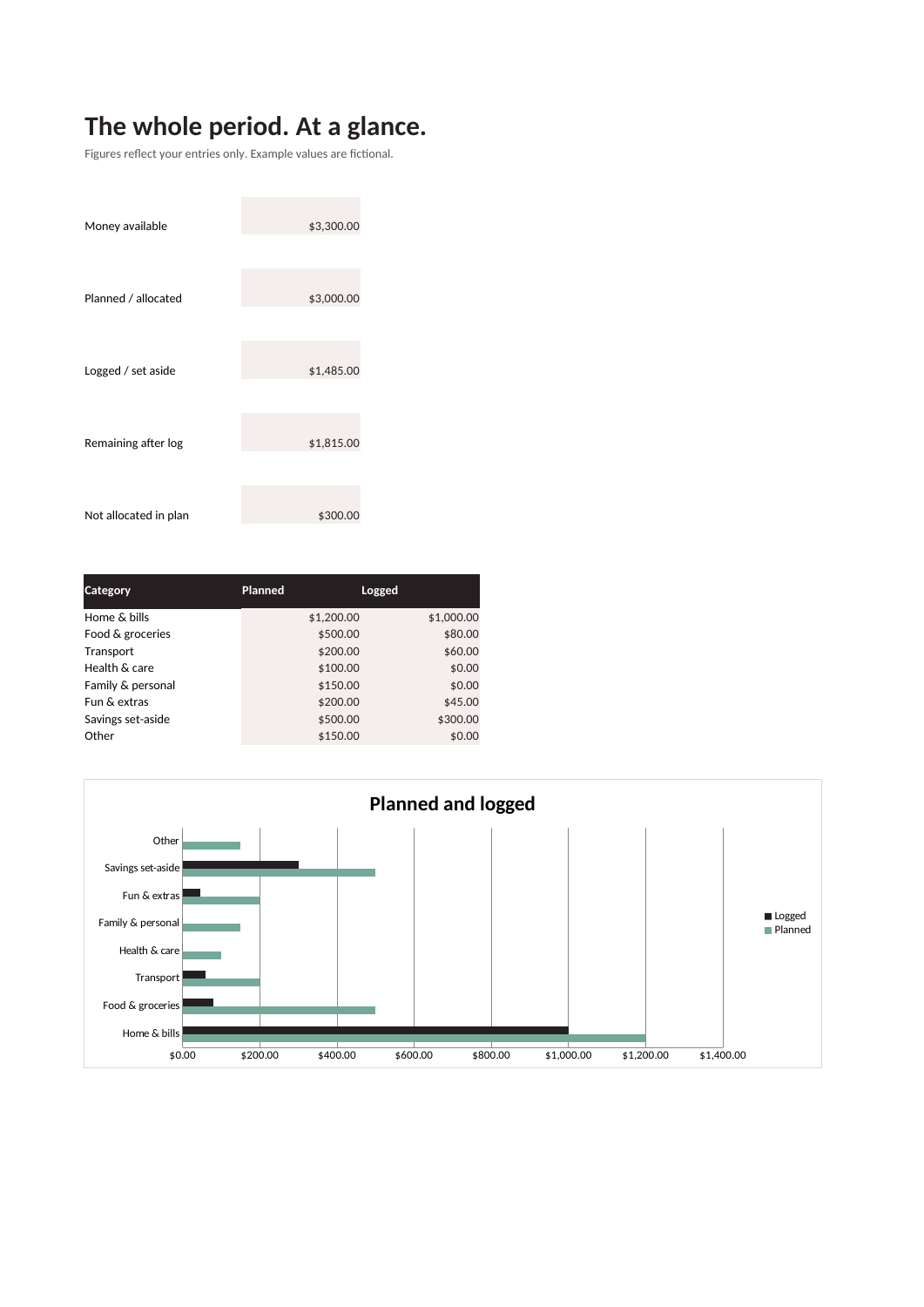
One useful file.
No monthly bill.
Use one copy for a week, two paychecks or a month. Save a new copy for the next period. Your personal-use license covers your household.
An organizational tool, not financial, investment, legal or tax advice. No savings or outcomes promised.
- Blank + example XLSX workbooks
- Quick-start PDF and CSV header
- Instant download through Payhip
- PayPal checkout
Checkout is hosted by Payhip. Any applicable tax is shown there before payment. You will receive the download after successful payment.
The small print, in plain words.
Why pay when free spreadsheets exist?
Free templates are a good option. This is for someone who would rather start with a small, already-formatted workbook, a working example and short instructions. You are paying for that prepared file, not a promise of better finances.
Does it connect to my bank or use AI on my data?
No. The workbook has no macros, bank connection or automatic upload. It calculates the values you type. If you upload the file to a cloud spreadsheet service, that service handles your data.
Can I customize it?
You can change your input amounts, period label and notes. The eight category labels are fixed to keep the dropdown and totals consistent. Formula cells are not password-locked, so save a backup before changing the workbook structure.
What does it not do?
No bank sync, live balances, receipt scanning, currency conversion, tax filing, automatic CSV import or investment tracking. It covers one period at a time, up to 250 log entries. Income goes on Plan; only spending, refunds and set-asides go in the log.
How do I get help or a refund?
Email clearlistleads@gmail.com with your order number. If the supplied file cannot be used as described, contact us for help or a refund. Your statutory rights still apply. Do not email bank statements or private financial records.
Can I resell it or use it for clients?
No. This is a personal/household-use download. Do not resell, redistribute or offer the workbook as your own template.